Showing posts with label hangout. Show all posts

Monday, October 03, 2016

Google Hangouts on Air is a useful, evolving teaching medium

Google Hangouts on Air is a useful tool for teaching today and it will be different and improved tomorrow.


Google Hangouts on Air (HoA) is a free service within YouTube. It allows one to hold a live teleconference with up to ten people. During the teleconference, an unlimited number of people can watch the live stream and it is recorded. When the teleconference ends, the video is automatically archived on YouTube. (See this presentation for some examples and instructions on how to create an HoA).

I've experimented with HoA for teaching three times. The first time, my class met online when I was out of town in 2013. It was a complete failure -- the Internet speed and student hardware were not up to the task.

The second time, the results were good, but we made and learned from some mistakes:


The third time -- a couple weeks ago -- we avoided most of those mistakes (and made a couple new ones). I am ready to use HoA more frequently, even when I am not out of town.

I polled the students the week after our last HoA session. Eight students were in the live hangout, 2 watched the live stream, but were not in the live hangout, 8 others only watched the archived video later and two did not participate. (A couple were also absent the night I did the poll). Here are the results:


This is a small, anecdotal sample but it is consistent with the assessment of the students last year. We also talked about the experience in class the following week and the students confirmed that they were batter able to focus in the hangout than in the classroom and were more relaxed and willing to participate. (Most also saved travel time by participating from home). The students who were in the live hangout had a generally better experience than those who only watched the video.

We are entering an era of live-streaming on the Internet -- Twitter is streaming football games and a number of Web sites streamed the presidential debate. Google, Facebook and others are offering streaming services and, like all other media (including textbooks), live streaming will evolve and improve. Google HoA is a useful tool for teaching today and it will be different and improved tomorrow.

Monday, May 02, 2016

Two teaching experiments with Google Hangous on Air

I teach a class on the applications, implications and technology of the Internet and a major theme running through the course is the use of the Internet as a tool for collaboration. As such, we tried two teaching experiments using Google Hangouts on Air (GHoA).

(GHoA is a free video conferencing application for up to ten people. It differs from other video conferencing services in two ways -- an audience of unlimited size can watch the video conference while it is live and it is automatically recorded and stored on YouTube when it ends).

Student "office hours"

Our first experiment was having students who had done well on the midterm hold "office hours" online using GHoA. I did not participate in any of the sessions, but reviewed the videos afterward.

Students holding "office hours" online

Since I was not "present," the students were generally unguarded and light hearted, talking more freely than in class. Their discussion revealed a couple of content misconceptions, which I corrected the following week.

They also discussed the class itself. One group agreed that it was harder than they had expected and one group felt free to criticize the class. That gave me the opportunity to bring their criticism to the entire class, discuss the point they made and to give the most critical student extra credit for speaking his mind.

They talked about their study habits and how to do well in the class. In doing so, one group came up with the idea of using our weekly quizzes as a “study guide” and answer/discuss questions online. (I don't give them the answers).

They also got to see and hear themselves in an online conference and learned some practical things about microphone adjustment, camera location when using a phone or tablet, microphone positioning, speaker feedback, etc.

The sessions were not mandatory, but I gave those who participated extra credit for convening or attending a session. Many students chose not to participate and I polled them, asking why. Schedule conflicts at the time sessions were convened was the most frequently cited reason.

An online class meeting

The second experiment was to conduct a class session using GHoA instead of in the classroom. (We met at the usual class time, so schedule conflicts were not an issue).

I begin each week with a presentation of misconceptions I saw in their homework assignments and quiz answers from the previous week and current events relevant to our class. Since the goal of the class is to introduce the "skills and concepts needed for success as a student and after graduation as a professional and a citizen," that is followed by presentations focused on a couple of concepts and on a skill, for example, how to use GHoA, an image editor, etc.

I followed the usual in-class format during the GHoA session. The first nine students who "came" to the GHoA session joined the live video conference and those who logged in later joined the viewing "audience."

This was the first time I had run a GHoA class, and it was a learning experience for me. As shown below, I made a number of technical errors. It also felt strange to be presenting material without seeing the audience -- it made me appreciate radio announcers. I suspect one could get used to it.

Mistakes due to my inexperience

I also made the mistake of not preparing the students well enough. They only had one presentation and one assignment with GHoA before we ran our experiments.

After the session, I polled the students on their experience during the live hangout and their use of the recorded video. Here are the poll results for three of the questions on the live hangout:

Selected responses regarding the live class session

And two of the questions about their use of the recorded video after the session:

Selected responses regarding the session recording

As you see, they said they were more comfortable viewing the session at home than in class, their minds were less likely to wander and they generally thought it was as good or better than the classroom as a learning experience. The majority went back and watched at least a portion of the session recording, but there was an inconsistency in their reporting.

The last four questions asked about their overall preference and solicited comments. When asked whether they preferred meeting in class or meeting in a GHoA, 53% preferred the GHoA, 13% the classroom and 33% were indifferent. When I asked them in class what they thought was the best way to offer the course next semester, the consensus was that the first few meetings should be in the classroom and about half of the remaining meetings should be online.

(There were 19 questions in the entire questionnaire and you can see the full poll results (including their comments) here).

This was my first try at using GHoA and I made several mistakes which could be corrected. If others have used GHoA as a collaborative teaching tool, please share your experience.

Wednesday, May 15, 2013

Google Hangout for a synchronous class meeting: Fail today ... Win tomorrow

I was travelling, so tried to use a Google on air Hangout for a class session. It was A Fail, but I am optimistic about the future. Let's talk about the failure first, then the rosy future.

My goal was to flip back and forth between talking with the students in the hangout and displaying and narrating PowerPoint presentations. The students who arrived too late to join the hangout would watch it on air and participate in the chat stream.

The session was a failure. Many students had unacceptably slow response time and I was wasting too much time switching between the conversation and PowerPoint. And that was the good bad-news. The real bad news was that the hangout crashed. We restarted it once, then gave up after the second crash.

I convened the hangout and was on a cable connection with Ping time around 20 MS and 15 Mbps up and 1.5 down, but the student's connection speeds and computers varied significantly.

I stopped all applications except Google Plus and PowerPoint on my computer, but forgot to advise the students to do the same.

My Dell laptop is a bit long in the tooth, but seemed to be up to the task. It has 8 GB of RAM, an Intel Core 2 CPU with a 3.06 Ghz clock speed and a 256 GB flash drive.

After several switches back and forth between displaying PowerPoint and the hangout, my computer froze with its fan running at full speed. I brought up the Task Manager and discovered that I had memory to spare, but CPU usage was flat at 100%. Perhaps there was some fatal interaction between Google's software and PowerPoint -- I'm not sure.

I restarted, the students joined back in, and after some time, my machine crashed again, so we gave up.

Even when it works, the user interface for switching between the hangout and PowerPoint is unnecessarily clumsy and distracting -- taking time and several mouse clicks. You should be able to select the windows you plan to use during a hangout when you set it up and switch between those windows and the hangout and chat windows with the touch of a finger or a mouse click.
The students asked afterward why President Obama's hangout went so well and ours so poorly. We speculated that Google may have provided dedicated resources for the presidential hangout and also screened the participant's connectivity and computers.

Well, that was the bad news. How about the good news. There is no doubt in my mind that Google Hangouts will become a valuable educational tool -- used for both synchronous class meetings like the one I tried and student study and project groups.

Google Hangouts have been available for perhaps a year. Hangouts On Air for less time than that. We are using an early prototype. If you think my experience in this class hangout was bad, watch video clips of other early prototypes, like Ivan Sutherland's demonstration of Sketchpad, the first significant computer graphics program or Doug Engelbart's demonstration of just about everything you take for granted today in your direct manipulation, windowed user interface or consider the hardware and systems improvements we have witnessed since the Wright Brothers first flight or the invention of the transistor.

Moore's law will improve the computers we use in hangouts -- my next laptop or tablet and those of my students will be a lot faster. The same will be true of data centers and servers  -- driven by improving technology and a need to handle ever more video traffic, which already dominates the Internet.  Broadband networks will improve with technology advances and hopefully a bit of competition. (Will Google Fiber go nationwide?). Google may  also decide to directly compete in the online education market or they may be content be infrastructure providers for others or both, but I expect that Hangouts 2020 will be as common in the Internet "classroom" as chalkboards and white boards are in the campus classroom today.

Tuesday, May 29, 2012

Screen sharing during on-air hangouts works, but could be better

Some friends and I do a weekly podcast called Yet Another Tech Show (YATS). We're streaming the podcasts using Google's "on-air" hangouts, and last Wednesday, we experimented with screen sharing during the podcast.

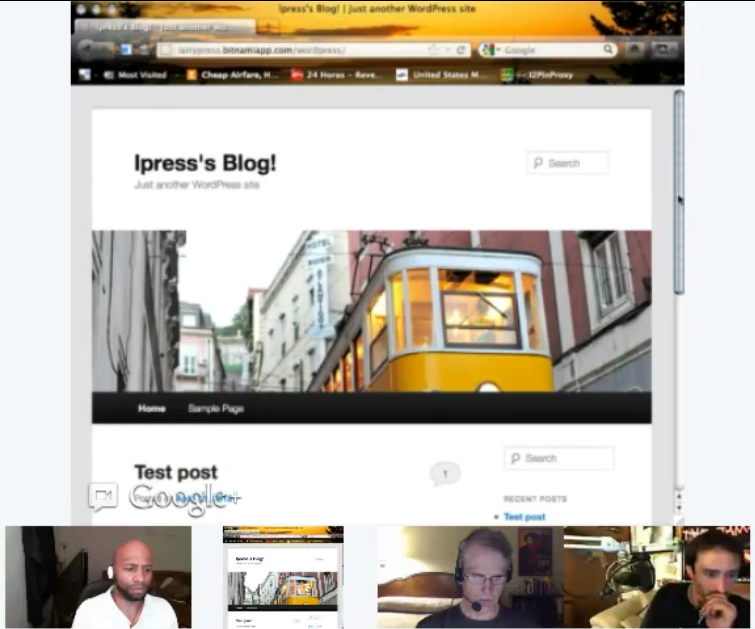
In the middle of the podcast, we talked about the simplicity of deploying servers and applications in the Amazon cloud and demonstrated a virtual server on a shared screen. The discussion went smoothly -- we could easily participate and collaborate -- but, as you see in this screen shot, the video quality was not perfect. You would not want to stream a fine print contract at this level of quality.

In the best of circumstances, real time screen sharing is difficult. A lot of data has to be moved quickly and a lot of processing is required to reconstruct and render the data as it arrives. It gets even rougher when the screens have different sizes, aspect ratios or resolutions. If I share my 1,920 by 1,200 desktop and you are viewing it in a 400 by 400 window, we have a problem.

After our podcast, I played around a bit more with screen sharing. I started an on-air hangout between two computers sharing the same Internet connection -- my laptop and my wife's iMac.
Both machines have 1,920 by 1,200 pixel displays. My laptop has a 3.06 Ghz dual core CPU, 4GB memory and is running 64-bit Windows and the iMac has a 2.8 Ghz core 2 CPU with 2GB memory and is runnng OS X. Google hangouts was the only application running on either machine.

First I shared the Mac's properties screen. It showed up quickly on the laptop, but as you see here, it was blurry. The image gradually sharpened until after around three seconds, it was easily readable, though, as you see, still imperfect. While the screen was easily legible, the rendering delay may have hindered a conversation.
Next I made Word documents with screens full of words on both machines and shared both screens. Again, rendering and "focusing" the pages took around 3 seconds on either machine. Character quality on the laptop was better than that on the Mac (shown here).

Cursor movement on a remote screen was jerky, but it was less than a second behind. The delay in selecting a single word then deleting it was well under a second whether working on the Mac or PC. The delay in deleting a paragraph was more noticable -- about a second.

The delays were caused by some combination of the speed of the computers and communication time. The CPU utilization on both machines varied significantly while screen sharing, even if there was no change on the screens. (At times it was over 90 percent on the laptop). When other applications were running, performance deteriorated noticeably.

While imperfect, hangouts on air was good enough for our demo and conversation to run smoothly. This is version 1 and Google will improve their sharing and rendering algorithms -- version 2 will be better. Communication link speed is controlled by business interests, not technology, so it will be a more persistent constraint in the US.

The video of the YATS session is shown below -- the screen sharing segment starts at just after the 30 minute mark.